Historical Data Formats in Timing Solution (updated October, 2013)
I often get a question: "Can we use historical price data from other programs?" For example, you use Trader Station system or something else. And you want to use the price information from this program.
Right now Timing Solution software supports these formats:
|
Supported format |
Comment |
|
More
than 1000 of TEXT or Excel formats, |
You
can download price history from different Internet sources (see here examples
http://www.timingsolution.com/TS/Links/price_data.htm )
and use it with Timing Solution. |
|
Downloading from www.yahoo.com and Quandl
financial services
|
Free
source of DAILY price history |
|
eSignal data feeding Real Time is here http://www.timingsolution.com/TS/Study/RT/index.htm |
Direct
access; you need to subscribe to e-Signal services. |
|
Access
through the file generated by Currency Loader MT script |
|
|
Indirect
access, i.e. in Trader Station you can save the price history into a text
file and read this file with Timing Solution. |
|
|
|
Almost all data feed systems allow saving price history data into text formats (Excel). Usually Timing Solution is able to read these files (now, in April, 2012, it supports more than 1000 different text formats). If we face with something very specific, you can always send me the example of this data (e-mail it to timingsolution@rogers.com), and this format will be added to a special program called "Rare Format". This program converts specific text formats into the format readable by Timing Solution software. Therefore, Timing Solution covers practically all available data formats. To download the "Rare Format" program, click here.
When you open the price chart, you will get this window:
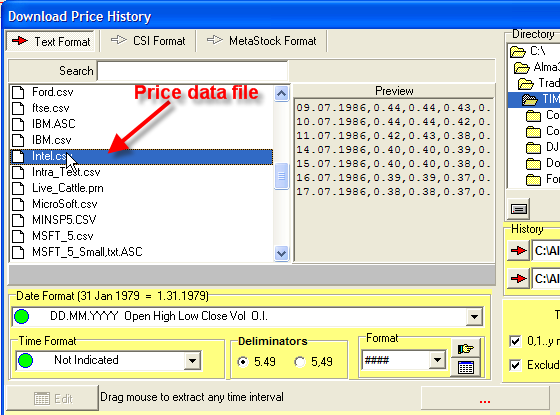
Choose one of the files, and the program automatically finds the appropriate format for this text file. You can use any price data files with *.csv, *.txt, *.prn or *.asc extensions.
The program supports MORE THAN 1000 DIFFERENT TEXT FORMATS. Here are some samples of text files:
01.01.1900 68.13 68.13 68.13 68.13 7.00 0.00
02.01.1900 66.61 66.61 66.61 66.61 8.00 0.00
03.01.1900 67.15 67.15 67.15 67.15 7.00 0.00
02.01.1962,7.69,7.69,7.60,7.60,8100
03.01.1962,7.60,7.67,7.60,7.67,6100
04.01.1962,7.67,7.67,7.59,7.59,5500
730101, 132.850, 133.000, 132.850, 132.850,0
730102, 132.600, 132.750, 132.600, 132.750,0
730103, 132.800, 133.000, 132.800, 133.000,0
Date,Open,High,Low,Close,Volume
17-Apr-03,8255.79,8388.28,8172.52,8337.65,14306000
16-Apr-03,8405.72,8459.15,8217.27,8257.61,15876000
15-Apr-03,8347.66,8443.11,8251.38,8402.36,14602000
03/08/1991,264.56,267.46,262.80,262.86,0
03/11/1991,262.86,262.86,254.75,255.05,0
03/12/1991,255.18,255.18,250.31,250.67,0
15/02/1881 12.57366693
15/03/1881 12.83411791
15/04/1881 12.74243939
02/25/03,06:45,820.5,820.5,820.5,820.5,1
02/25/03,07:45,823,824.75,823,823,23
02/25/03,08:45,823.5,823.5,822.25,822.25,21
18.06.2001 08:30 AM 67.9500 67.9600 67.5900 67.7100 1329900.00
18.06.2001 08:35 AM 67.7100 67.9200 67.5000 67.8000 754200.00
18.06.2001 08:40 AM 67.8000 67.8500 67.5100 67.5700 589000.00
EURUSD,20010103,100000,0.9497,0.9543,0.9497,0.9535
EURUSD,20010103,110000,0.9534,0.9549,0.9526,0.9542
EURUSD,20010103,120000,0.9541,0.9569,0.9534,0.9563
EURUSD,20010103,130000,0.9564,0.9566,0.9541,0.9546
EURUSD,20010103,140000,0.9547,0.9549,0.9523,0.9526
EURUSD,20010103,150000,0.9527,0.9533,0.9503,0.9517
EURUSD 1 20060921 17:35 1.27420
EURUSD 1 20060921 17:36 1.27450
EURUSD 1 20060921 17:37 1.27450
EURUSD 1 20060921 17:38 1.27380
EURUSD
1 20060921 17:39 1.27380
RTSI 1995-09-04 99.8 99.8 99.8 99.8
RTSI 1995-09-05 100.42 100.42
100.42 100.42
RTSI 1995-09-06 99.74 99.74 99.74 99.74
RTSI
1995-09-07 101.3 101.3 101.3 101.3
RTSI 1995-09-08 101.3 101.3 101.3
101.3
And many, many others...
Actually, this module works as a mini expert system that automatically analyses the content of the file and finds the appropriate format for it. We worked on this module for 7 years, starting with few formats and adding new ones. For the last 6 months, I have not heard that somebody has had any problem with reading some text format.
Here are more examples:
Downloading from www.yahoo.com and quandl.com financial services
Yahoo financial service http://finance.yahoo.com/ provides a lot of EOD data.
Quandl financial service http://www.quandl.com provides a lot of financial and economical information. BTW, you can download data provided by Yahoo financial service through Quandl website:
Standard symbols library many financial instruments you can download through standard symbols library feature.
Standard events library
a) click this button:
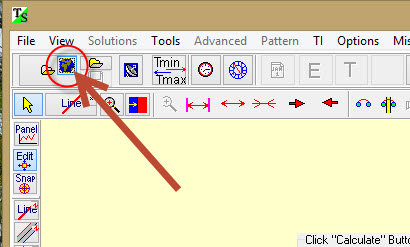
b) click "Symbols Library" button there:
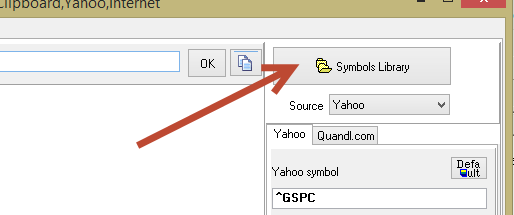
c) highlight financial instrument you need to download and click "Choose Symbol":
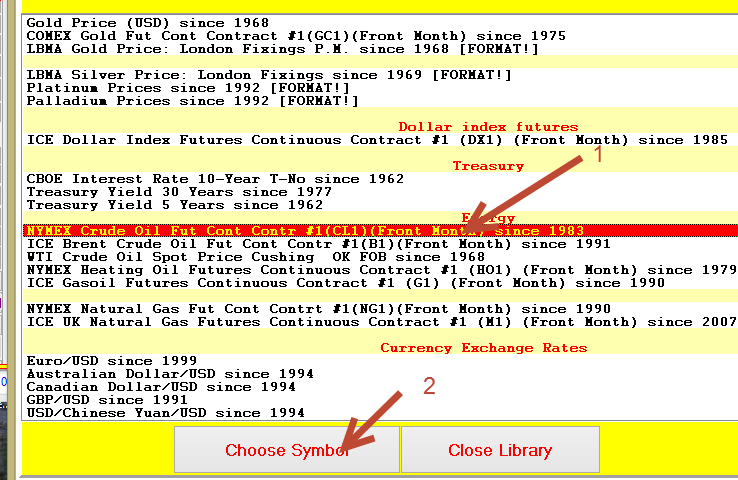
d) click "Download data":
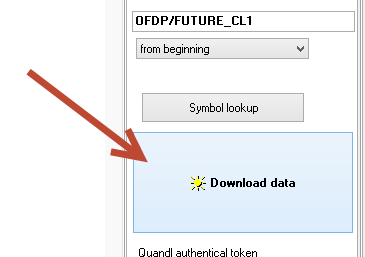
Pay attention: when standard instrument is downloaded through Quandl.com
service the CORRUPTED records may occur. In this situation the flashing icon  displayed:
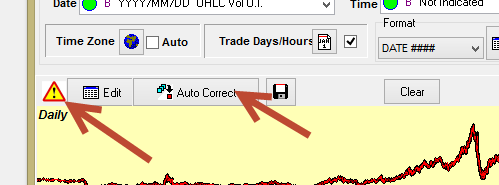
You can fast correct this price chart clicking "Auto Correct" button, the program will remove all corrupted records.
Downloading through Yahoo
a) click this button:
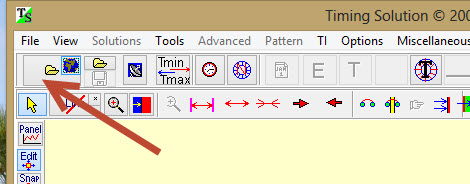
and follow this:
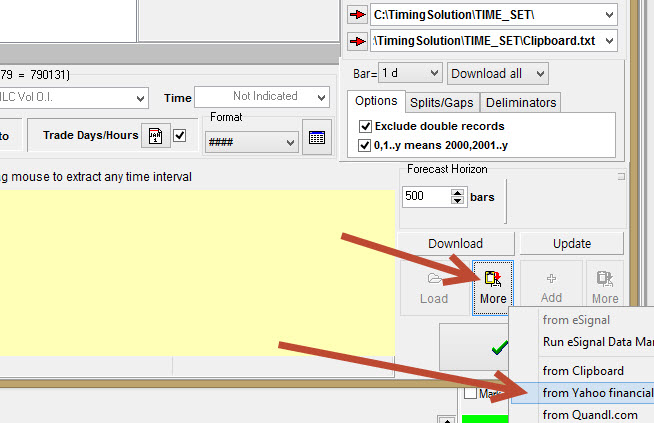
or you can use this fast access button:
b) Type Yahoo symbol there and click "Download data" button:
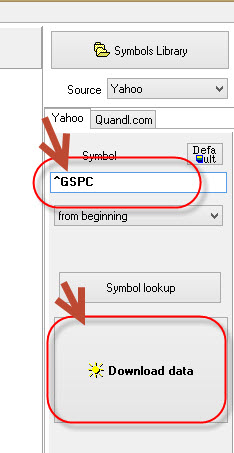
Here ^GSPC this is symbol for S&P 500 index
For example, if you need to download IBM chart, type IBM symbol. For Microsoft corp. - type MSFT etc.
3) If everything is Ok you will get the list of financial data like this, click OK button:

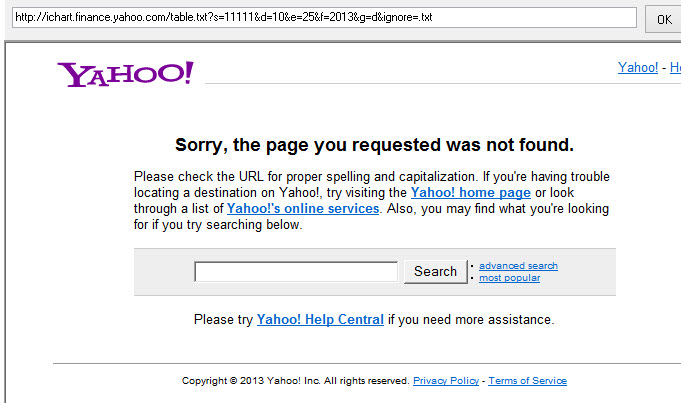
Yahoo download troubleshooting :
If you type incorrect symbol you will get this window:
Downloading through Quandl
a) Follow this:
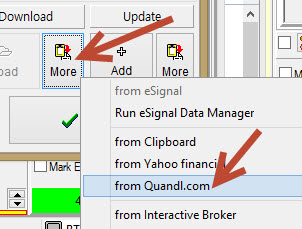
or you can use this fast access button:
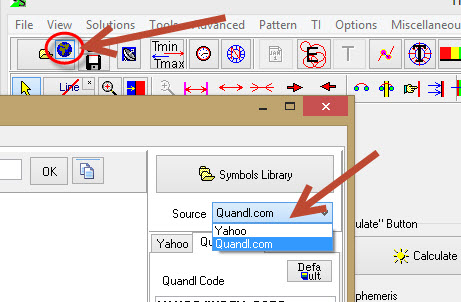
In "Source" menu highlight "Quandl.com" item.
b) Before usage Quandl.com service you have to install on your computer JSON viewer, click this button:
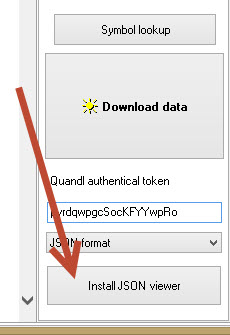
You need to do this procedure on your computer once only.
c) Please check Quandl website http://www.quandl.com For each financial instrument there you will find unique Quandl code, here it is:
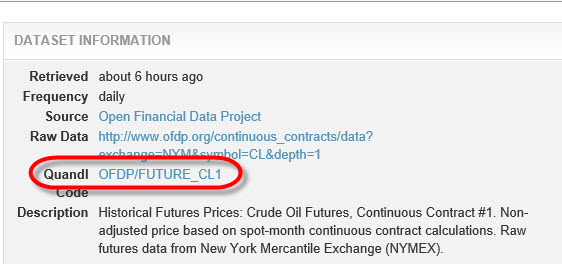
Type this Quandl code here in Timing Solution and click "Download data" button:
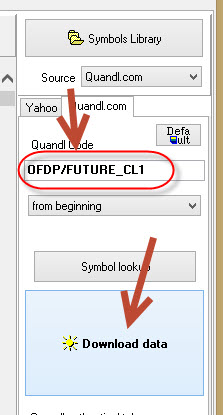
d) To download more price history through Quandl we recommend to create your own Quandl account.
After that check your personal account this way:
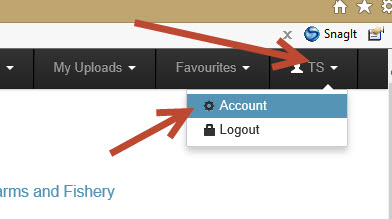
In API section check your authentication token:
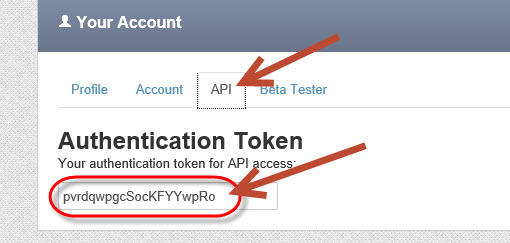
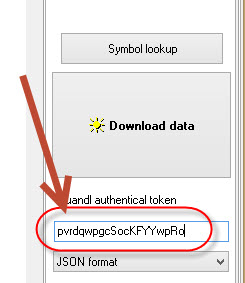
and type this authentication token in Timing Solution:
Quandl download troubleshooting :
If you type incorrect Quandl code you will get this window:
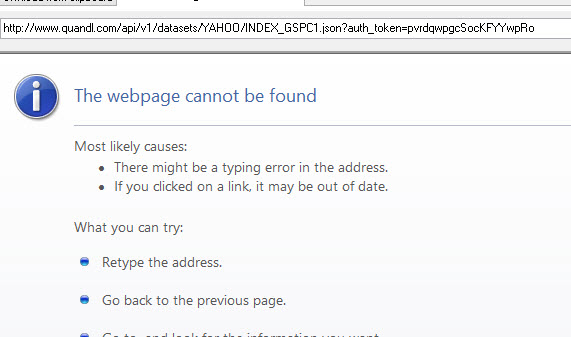
To
download through e-Signal:
a) Click there "Data manager" button to run e-Signal service. Wait several second while the program will run e-Signal software.
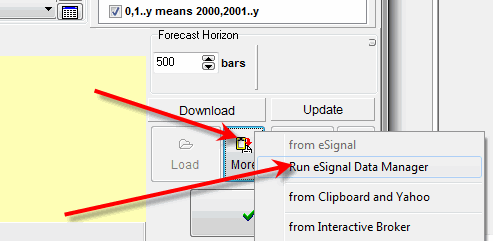
b) Now the new button is available there:
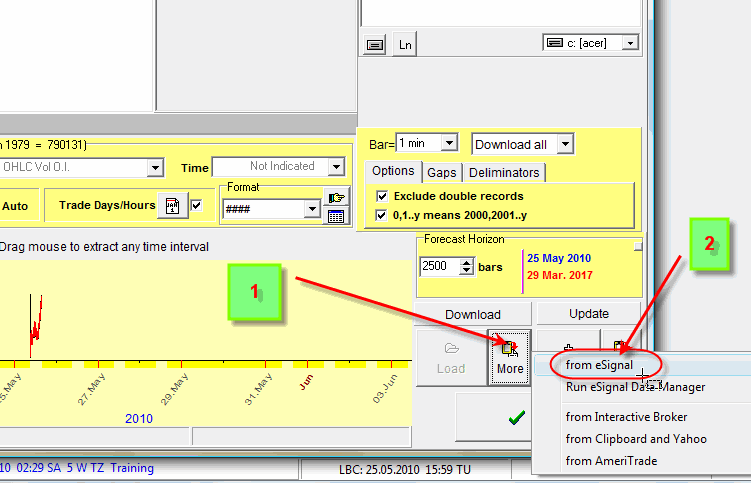
Click it and input there all necessary information - symbol, bar, amount of bars:
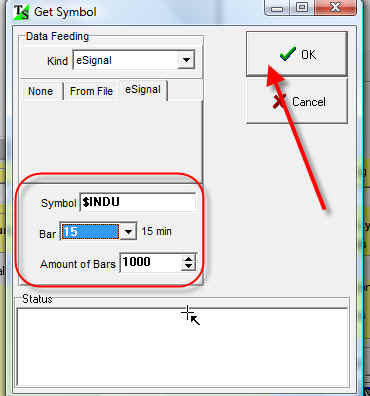
To
download through Interactive Brokers software follow these steps:
a) Run Interactive Brokers software (Trader Workstation -TWS)
b) Follow this:
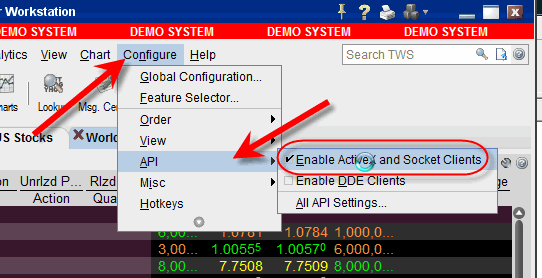
c) Choose All API Settings:
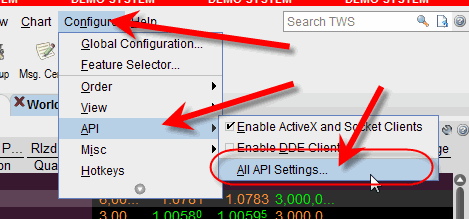
and click there "Create" button:
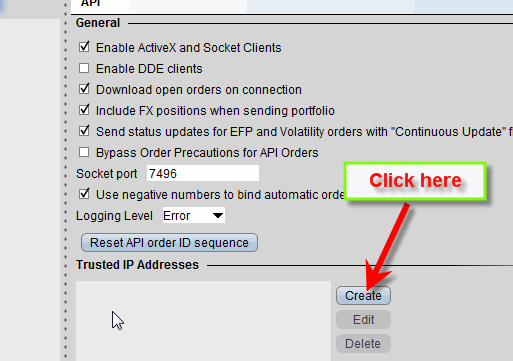
type there 127.0.0.1 and click OK:
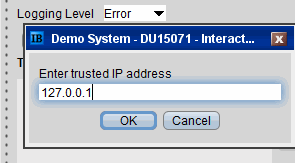
You should do this procedure once only.
d) In Timing Solution click here:
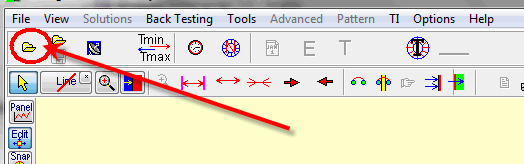
click this button and choose "Interactive Brokers" item:
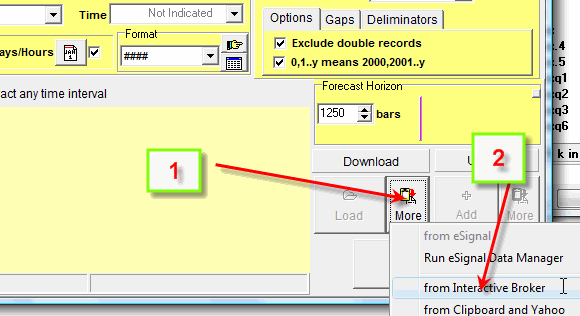
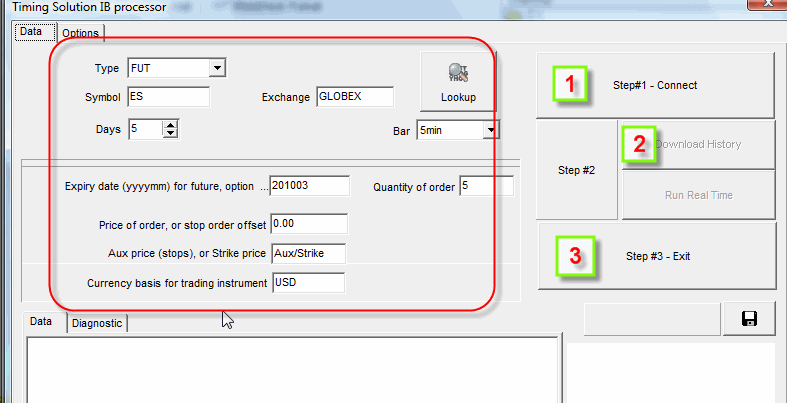
Fill out this form and click these buttons:
Downloading from Trader Station
- Run Omega Downloader program
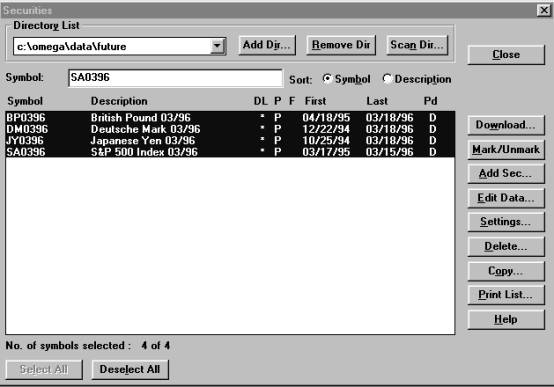
- Load any securities (if you have not loaded them
before), like this:
- File => Export => Security
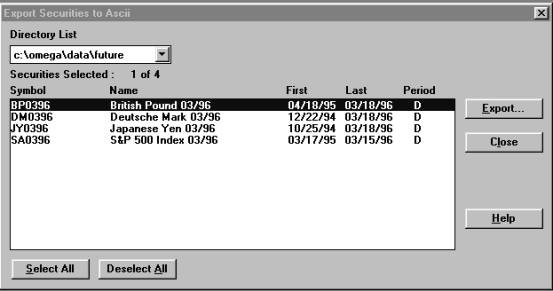
- Choose any security and press �Export�
You will get this window:
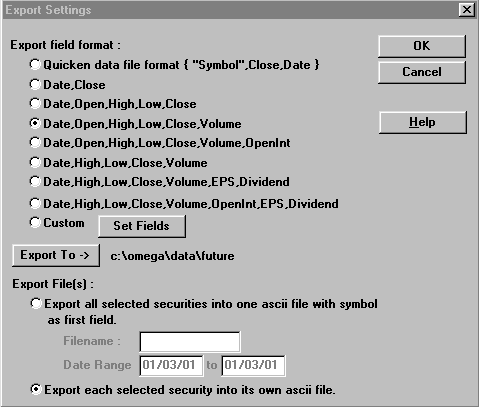
- Input the file name
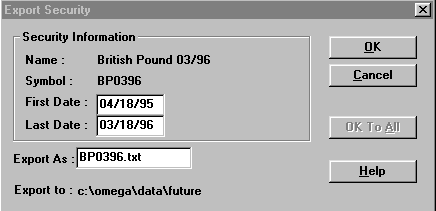
and click �OK�.
- You can use this text file as a data file for Timing
Solution program.
PS. Sorry, the samples are for Trader Station v. 4. I know
that there are newer versions. And I know that there have been no problem with
them as well.